
- Launch
- Settings
- Integration with other IDEs
- Main menu
- Toolbars
- Workspace
- Projects and MQL5 Storage
- MQL4/MQL5 Wizard
- Developing programs
- Working with SQL data bases
- Working with machine learning models
- Example of developing a program
- MetaEditor environment folders
- MQL5.community: Community of Traders
- Built-in help
- Articles on the development of trading applications
- Trading platform video guides
Example of developing a program
Thanks to MQL4/MQL5 Wizard, you only need a few minutes to create a simple program. The current example will display "Hello World" entry in the platform log.
Launch MQL4/MQL5 Wizard using the  New command in the File menu or in the Standard toolbar. Set Script as a program type at the first step.
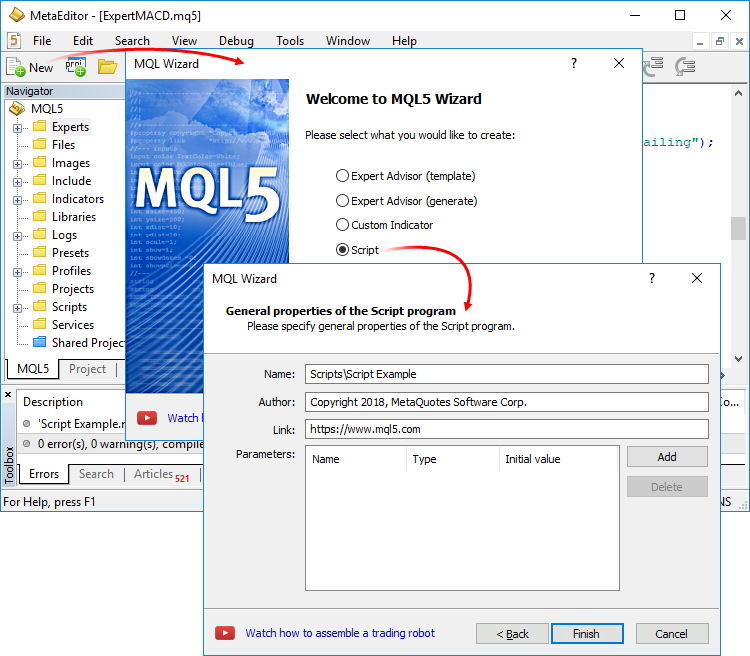
Next, set the script name. If you want to create the script file in a separate subfolder rather than in the Scripts root directory, add the folder name in the Name field. For example, "Scripts\Script Example\Script Example". After clicking Finish, the "Script Example.mq5" script file is generated in the "Scripts\Script Example\" directory.
Add the "Print("Hello World!);" string to the generated file and save the changes (Ctrl+S). Perform compilation to turn the initial file into the one that can be launched in the trading platform. Click  Compile in the File menu or in the toolbar. The compilation result is displayed in the Errors tab of the Toolbox window:
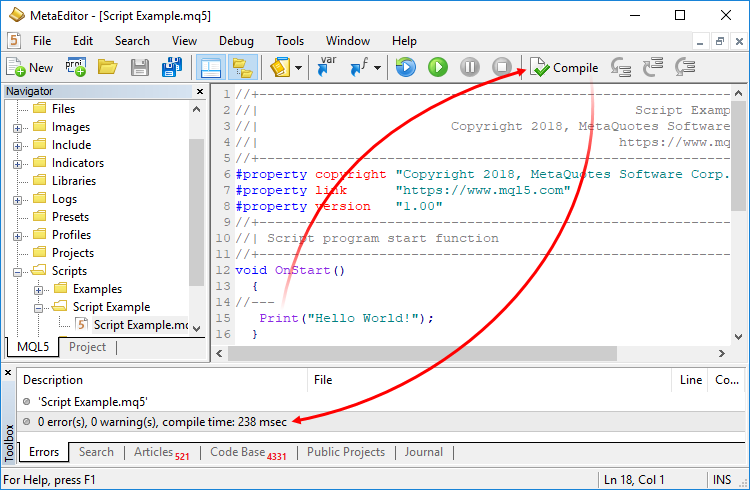
As a result of compilation, ScriptExample.ex5 executable script file is created in the same directory where the source file is located.
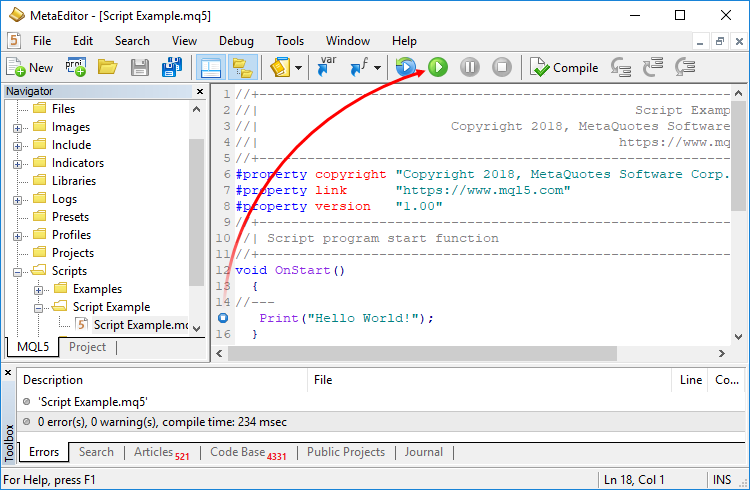
The debugging mode allows you to check the execution of a program in steps. If necessary, set breakpoints – strings/functions, at which the program execution is paused. To do this, double-click the left mouse button to the left of the required line. Then click " Start debugging" in the Debug menu or on the toolbar.
The script is launched on a temporary chart in the trading platform, while the script operation result – "Hello World!" entry appears in the experts log:
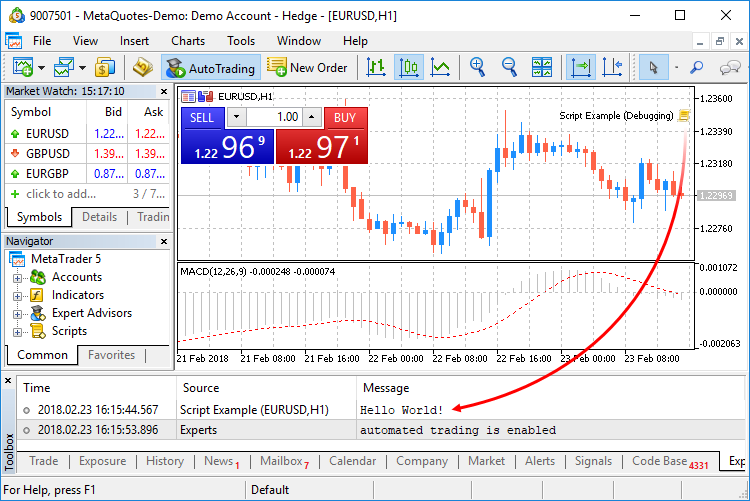
To finish debugging, press " Stop debugging".
After completing all the steps, you can run the script in the trading platform. To open it, click  Trading Terminal in the Tools menu or F4.